Do you ever wonder why some people leave your website without buying anything? Or why some pages get clicks but others don't? A/B testing can help you find the answers. And when you use Google Analytics 4 (GA4), you can stop guessing and start making smart choices. In this guide, you'll learn why A/B testing matters, how to use GA4 to pick what to test, and how to build a simple plan that helps more visitors say "yes."
What Is A/B Testing?
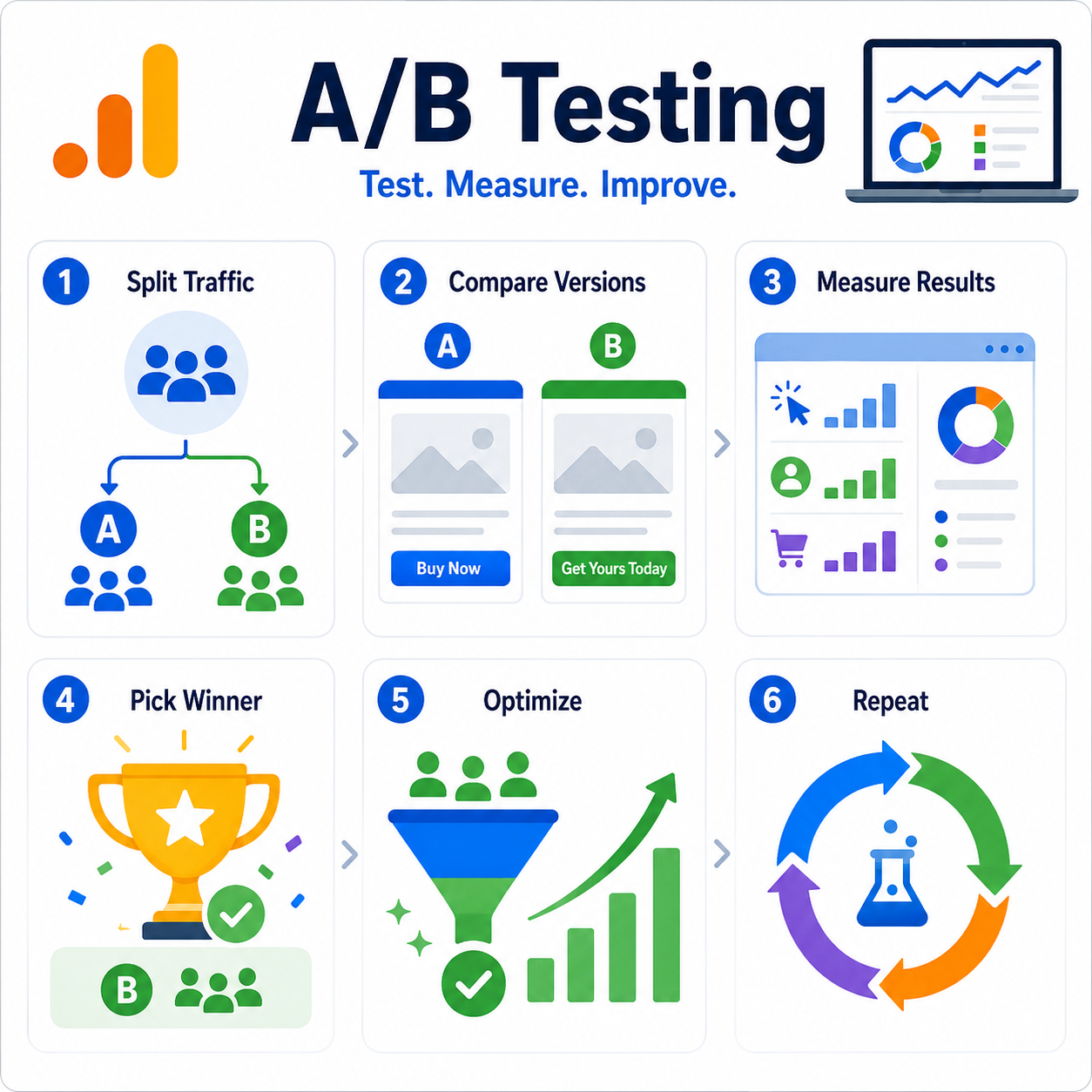
A/B testing is a way to compare two versions of something to see which works better. You show version "A" to one group and version "B" to another. Then you check which version got better results.
For example, you might test two buttons. Button A says "Buy Now." Button B says "Get Yours Today." If more people click Button B, it's the winner—so you use it for everyone. It's a lot like a science experiment: you change one thing, watch what happens, and learn from it.
Why A/B Testing Is So Important
Many people redesign their websites based on a feeling: "I like this color better." But what you like and what your customers like are not always the same. A/B testing takes the guessing out of the picture. Here's why it matters:
- It saves money. You stop spending on ideas that don't work.
- It grows sales. Small changes can lead to more clicks, sign-ups, and purchases.
- It builds trust. You make choices based on real proof, not just opinions.
- It never stops helping. You can always test new ideas and keep improving.
Even tiny wins add up. If you boost sales by just 2% each month, that's a lot more money by year's end.
What Is Conversion Optimization?
A "conversion" happens when a visitor does what you want—buying a product, filling out a form, or joining your email list. Conversion optimization means making changes so more people take that action. A/B testing is one of the best tools to help. Together, they turn more visitors into customers.
How to Use GA4 Data to Decide What to Test
This is where Google Analytics 4 becomes your best friend. GA4 is a free tool that tracks how people use your website—where they come from, what pages they view, and where they leave. Instead of guessing what to test, let your GA4 data point the way.
Start by finding your problem pages. Open the Pages and screens report and find pages that get lots of visitors but few conversions. Something is stopping people there, so it's a great place to test. Next, look at where people drop off using funnel exploration, which shows the steps people take, like adding an item to a cart and checking out. If many people leave at one step, that step needs help.
Then check your engagement numbers. A high "bounce rate" means people leave fast, so that page's headline, photos, or layout might need testing. Finally, compare devices—GA4 shows whether people use phones, tablets, or computers. If phone users convert less, test a better mobile design. These clues tell you exactly what to test first.
Tools You Can Use for A/B Testing
You don't have to run tests by hand. Many tools split your traffic, show different versions, and track results for you. Popular ones include:
- VWO (Visual Website Optimizer). Test changes by pointing and clicking—no code needed.
- Optimizely. A powerful tool used by big companies, great for many tests at once.
- AB Tasty. Helps you test pages and tailor them for different visitors.
- Convert. A budget-friendly choice that works with GA4.
- Crazy Egg. Shows "heatmaps" of where people click, so you can spot problems before you test.
- Microsoft Clarity. A free tool that records how visitors move and click, showing you why they act.
- Your website builder. Tools like Shopify, Wix, and HubSpot often have A/B testing built in.
Tip: Many of these connect with GA4. So you can study your data in GA4, run your test in a testing tool, and check the winner back in GA4. Pick one that fits your budget and skill level. (Google's free tool, Google Optimize, closed in 2023, so most people now use the tools above.)
How to Build a Simple A/B Testing Plan
Now that you know what to test, build a plan. Follow these steps to stay organized.
1. Pick one clear goal. Choose what to improve, like more sign-ups or sales. One goal at a time works best.
2. Make a guess (your hypothesis). This is your best guess about what will work, such as "A shorter form will get more sign-ups." It gives your test a clear purpose.
3. Change only one thing. If you change the button, headline, and photo all at once, you won't know which change worked. Keep it simple so results stay clear.
4. Split your traffic. Send half your visitors to version A and half to version B. Your testing tool does this for you, and GA4 helps you track each version.
5. Wait for enough data. Don't stop too early. A test that runs only a day might trick you. Give it a week or two, depending on your traffic.
6. Pick the winner. Check the numbers in GA4. Did version B beat version A? If yes, make it your new normal. If not, that's okay—you still learned something.
7. Test again. Conversion optimization never ends. Each test makes your website a little better.
A Quick Example
Say GA4 shows that 1,000 people visit your sign-up page, but only 20 sign up. That's a low rate. You guess the form is too long, so you test a shorter form against the long one. After two weeks, the short form gets 50 sign-ups while the long form gets 20. The short form wins! Now you use it for everyone, and your sign-ups more than double.
Final Thoughts
A/B testing turns guesswork into smart, proven choices. When you pair it with GA4 data, you can clearly see what's working and what's not. Start small, test one thing at a time, and let the numbers guide you.
The best part? You don't need to be a tech expert. Just stay curious, keep testing, and let your data lead the way. Over time, those small wins add up to big growth.